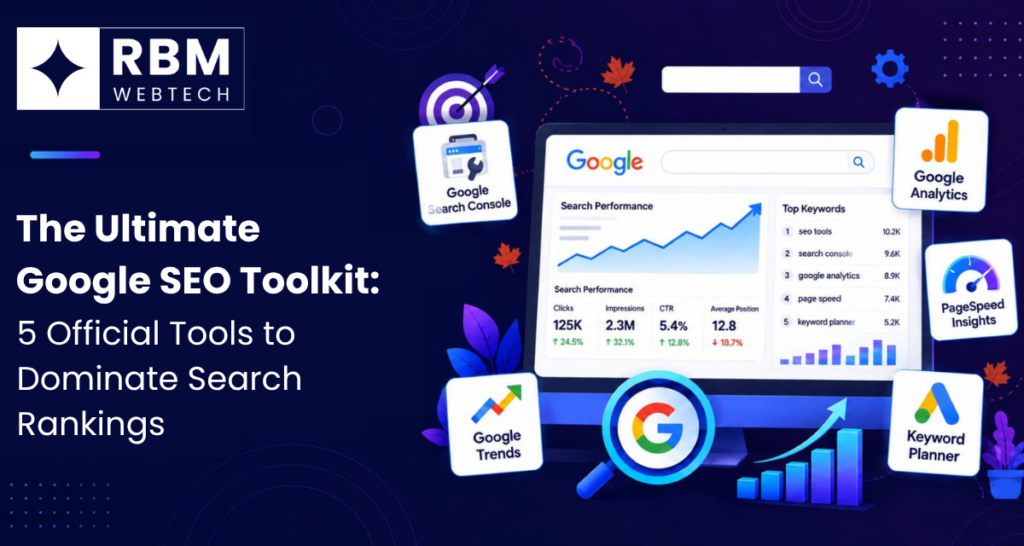
Let’s be completely straight with each other for a second. If you want to use the ultimate Google SEO Toolkit to rank higher in search results, you really don’t need to throw hundreds of dollars every single month at bloated, overpriced third-party software.
Sure, those premium SEO suites have their little perks and flashy dashboards. But the most accurate, reliable, and powerful data has always come straight from the source: Google itself.
Think about it logically. Google builds and maintains the entire search engine. Why on earth wouldn’t you use the diagnostic, analytic, and research instruments made directly by the manufacturer?
Whether you’re running a small local shop, scaling an e-commerce brand, or just building out a personal blog, mastering these official tools gives you a massive, unfair advantage. Best of all? They won’t cost you a single rupee.
Let’s walk through the 5 official Google tools you actually need to dominate search rankings—along with some practical, real-world ways to put them to work without getting overwhelmed.
1. Google Search Console: The Core of Your Google SEO Toolkit
If you don’t have Google Search Console open in a browser tab right now, you are essentially flying blind. GSC serves as your central command station for seeing how Google views, crawls, and indexes your website.
Why you need it: GSC gives you the raw, unfiltered truth about your organic search performance. It shows you the exact queries real people typed into the search bar to find your site, how many times your pages popped up in the results, how many clicks you received, and your average ranking position over time. Without it, you are just guessing whether your content strategy is working.
What to look at:
- The Performance Report: Take a close look at your keywords and compare impressions against actual clicks. If you spot a keyword with massive impressions but hardly any clicks, your title tag or meta description probably needs work. You are showing up in the results, but people aren’t choosing to click. Fix your copy.
- The URL Inspection Tool: Just published a brand new post or updated an old one? Don’t sit around waiting days for Google to stumble upon it. Drop the URL right here and hit request indexing to push Google’s bot to crawl your changes immediately.
- Indexing & Experience Reports: GSC acts as your early warning system. It flags technical errors, mobile usability issues, or broken links that might be quietly hurting your rankings before they tank your traffic.
2. Google Analytics 4: Understanding User Behavior
Getting traffic through the door is only half the battle. What do visitors actually do once they land on your pages? Do they read your content and stick around, or do they bounce right back to Google within three seconds? That is where Google Analytics 4 comes in.
Why you need it: While Search Console shows you what happens before a click, GA4 shows you everything that happens after. It measures overall user engagement, traffic pathways, and conversion metrics, helping you understand if your traffic is actually valuable.
What to look at:
- Traffic Acquisition Reports: Dive straight into your organic search channel grouping. This helps you figure out which specific landing pages are bringing in the highest-quality visitors instead of random drive-by traffic.
- Engagement Rate: Look past older, outdated metrics like traditional bounce rate. GA4 relies on engagement rate—the percentage of sessions that lasted longer than 10 seconds, included a conversion, or involved viewing multiple pages. Low engagement is a subtle sign to Google that your page isn’t satisfying user intent.
- Conversion Tracking: Set up custom events for newsletter sign-ups, contact form submissions, or product checkouts so you can tie your SEO efforts directly to real business growth and revenue.
3. Google Keyword Planner: Unearthing High-Value Search Intent
Most beginners just guess what their target audience is searching for online. Pros look at actual data. Although Google Keyword Planner lives inside the Google Ads ecosystem, it remains one of the most reliable keyword research tools around because the numbers come straight from Google’s own search history.
Why you need it: It gives you accurate monthly search volume brackets and clear commercial intent metrics. Since it’s built for advertisers, it helps you figure out which search terms carry real financial value rather than just vanity traffic.
What to look at:
- Discover New Keywords: Type in a seed topic related to your niche, and Google will generate a long list of relevant variations, complete with historical search trends and competition levels.
- Forecasting: Use the tool to check how search interest shifts across different seasons, making it easy to plan out your content calendar months in advance so you never run out of ideas.
- Geographic Targeting: If your business serves a specific city or region, filter your keyword research down locally to see what people in your exact backyard are looking for.
4. Google PageSpeed Insights: Conquering Core Web Vitals
Website speed is a confirmed ranking factor. If your site takes five seconds to load on a mobile phone, users are going to leave in frustration, and Google’s algorithm will notice and punish your rankings. PageSpeed Insights analyzes your web pages and generates a performance score for both mobile and desktop.
Why you need it: PSI evaluates your site against Core Web Vitals—Google’s official metrics for loading speed, visual stability, and interactivity. It tells you how your site performs in the real world.
What to look at:
- Field Data vs. Lab Data: Pay close attention to the real-user field data. This reflects how actual visitors on varying devices and dodgy internet connections experience your site in the wild.
- Actionable Diagnostics: The tool doesn’t just hand you a bad grade and walk away. It tells you exactly what is slowing things down, whether it’s unoptimized images, heavy scripts, or a sluggish server response time.
5. Google Trends: Capitalizing on Breakout Topics
SEO isn’t just about static, long-term keywords; it’s also about riding momentum. Google Trends lets you analyze the popularity of top search queries across different regions and languages in near real-time.
Why you need it: If you want to catch viral traffic or build content around emerging industry shifts before your competitors catch on, Google Trends is your secret weapon. It helps you tell the difference between a fleeting fad and sustainable long-term growth.
What to look at:
- Interest Over Time: Check whether a topic is steadily growing or dying out entirely so you don’t waste time optimizing for declining search terms that nobody cares about anymore.
- Rising Queries: Look at the rising queries section within a topic search. This often uncovers fresh long-tail keywords that haven’t been saturated by other websites yet.
- Regional Breakdown: Fine-tune your strategy by finding geographic pockets where interest in your niche is highest, allowing you to target your marketing precisely.